Skip to content
Jivika

Bring your own key · No sign-up

Your job search, organised and sharpened.

Match your resume to roles, improve your CV and LinkedIn, plan your next move and prepare for interviews, using your own model key with your data kept in your browser.

Free with your own Gemini, OpenAI, Groq or OpenRouter key.

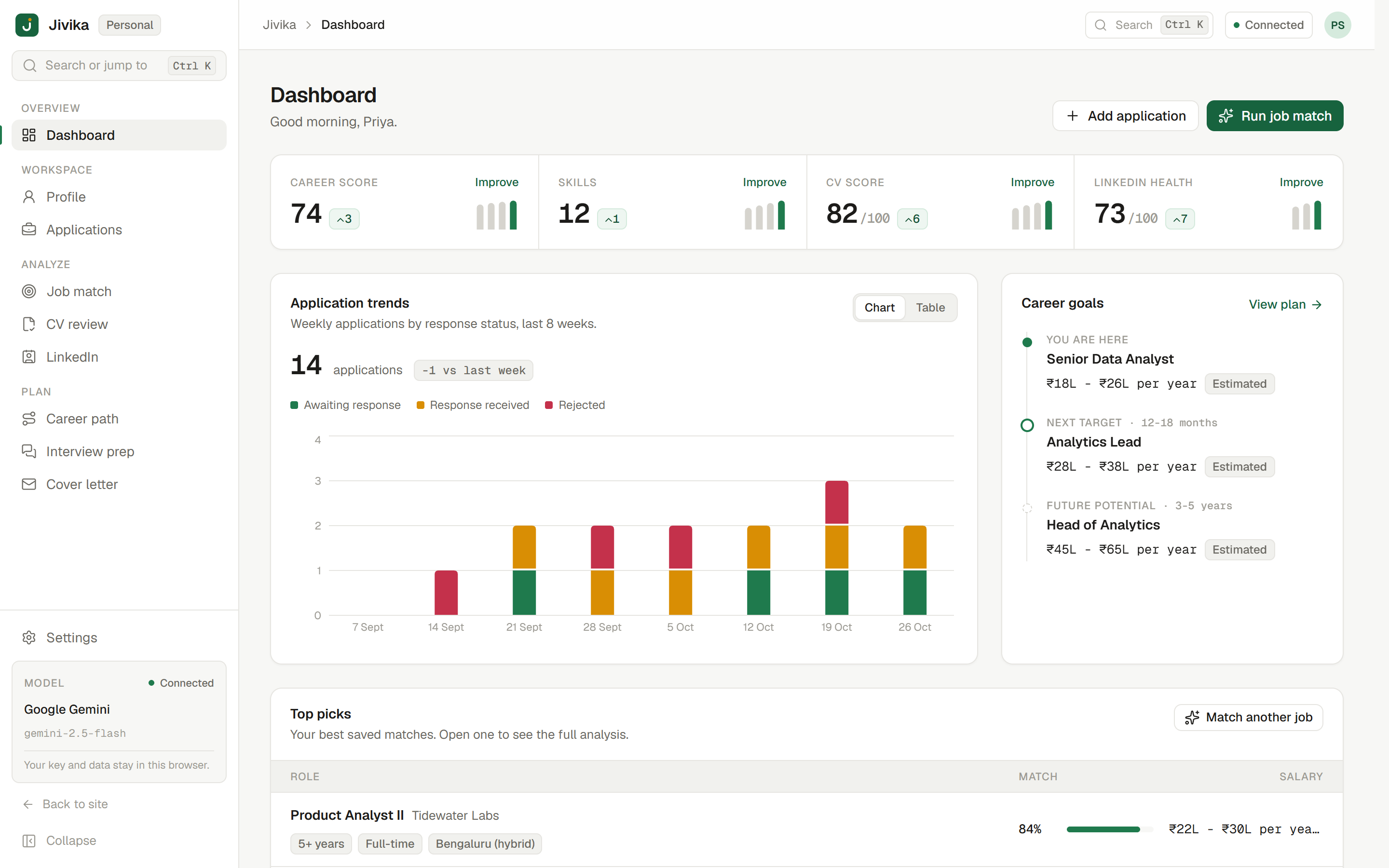
Jivika dashboard showing career, skills, CV and LinkedIn scores, application trends and top job matches
Works with Google Gemini OpenAI Groq OpenRouter

Product

Eight tools for every stage of your search.

From reading a job description to following up on an application, each tool works from the same resume and profile.

  • Job match

    Paste a job description to get a match score, matched and missing skills, and a plan to close the gaps.

  • CV review

    An ATS-style score with section-by-section feedback and rewritten bullet points you can reuse.

  • LinkedIn optimizer

    Headline suggestions, a rewritten About section and the keywords recruiters search for.

  • Career path

    Your likely next role and long-term options, with estimated salary ranges and the skills to build.

  • Interview prep

    Questions tailored to a specific job description, with feedback on the answers you write.

  • Cover letters

    Letters in the tone you choose, grounded in your resume, ready to edit, copy or download.

  • Application tracker

    Keep every application and its status in one place, so nothing slips through.

  • Dashboard

    Your scores over time, application trends and top job matches in one view.

Feature details

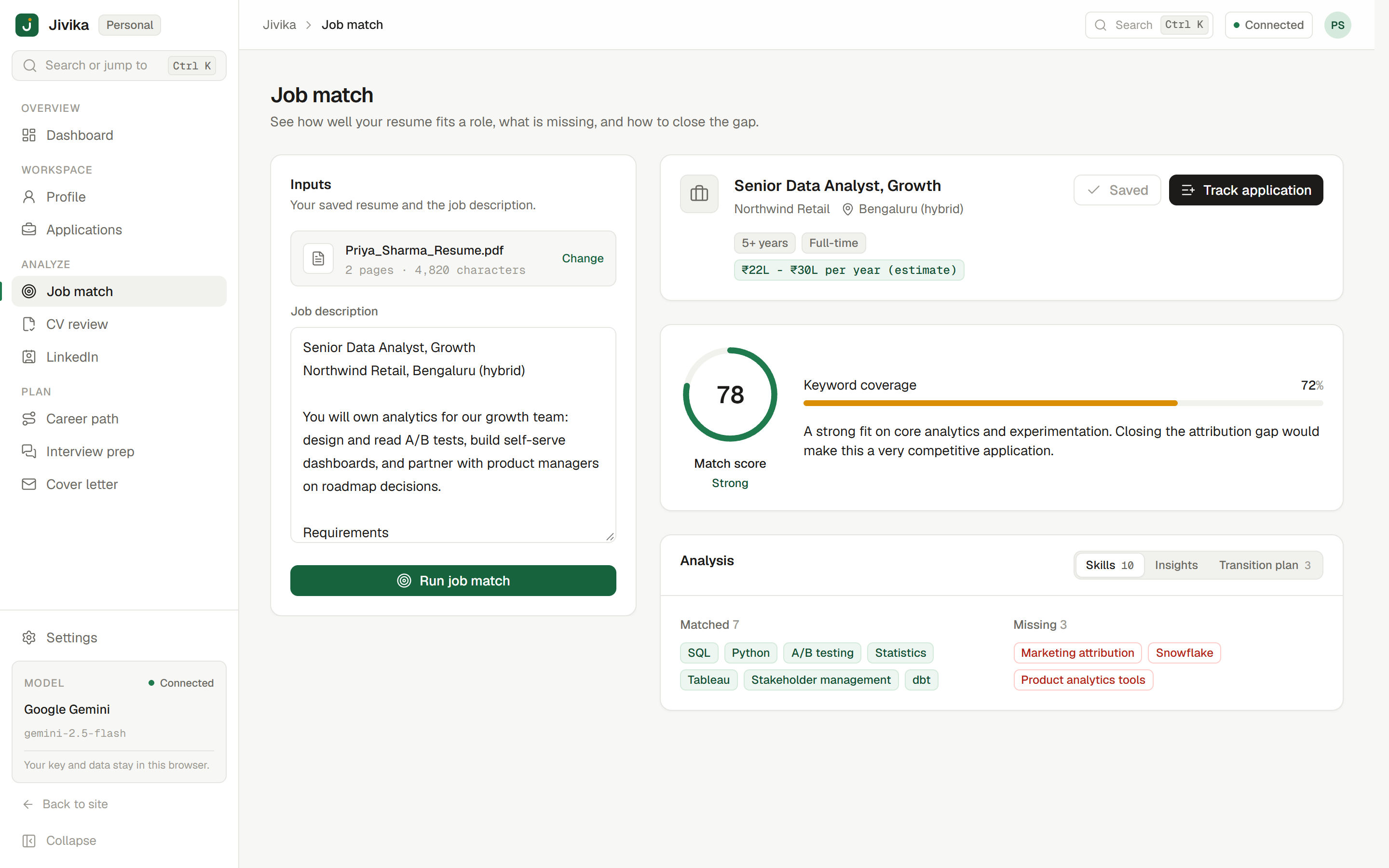
Job match results in Jivika showing a match score, matched and missing skills, and a transition plan

Job match

See how well you fit a role before you apply.

Paste any job description and Jivika compares it with your resume. The score blends the model's judgement with a deterministic keyword check, so it is harder to inflate.

  • Matched and missing skills, side by side
  • Strengths, gaps, challenges and opportunities for the role
  • A step-by-step plan to close the gaps
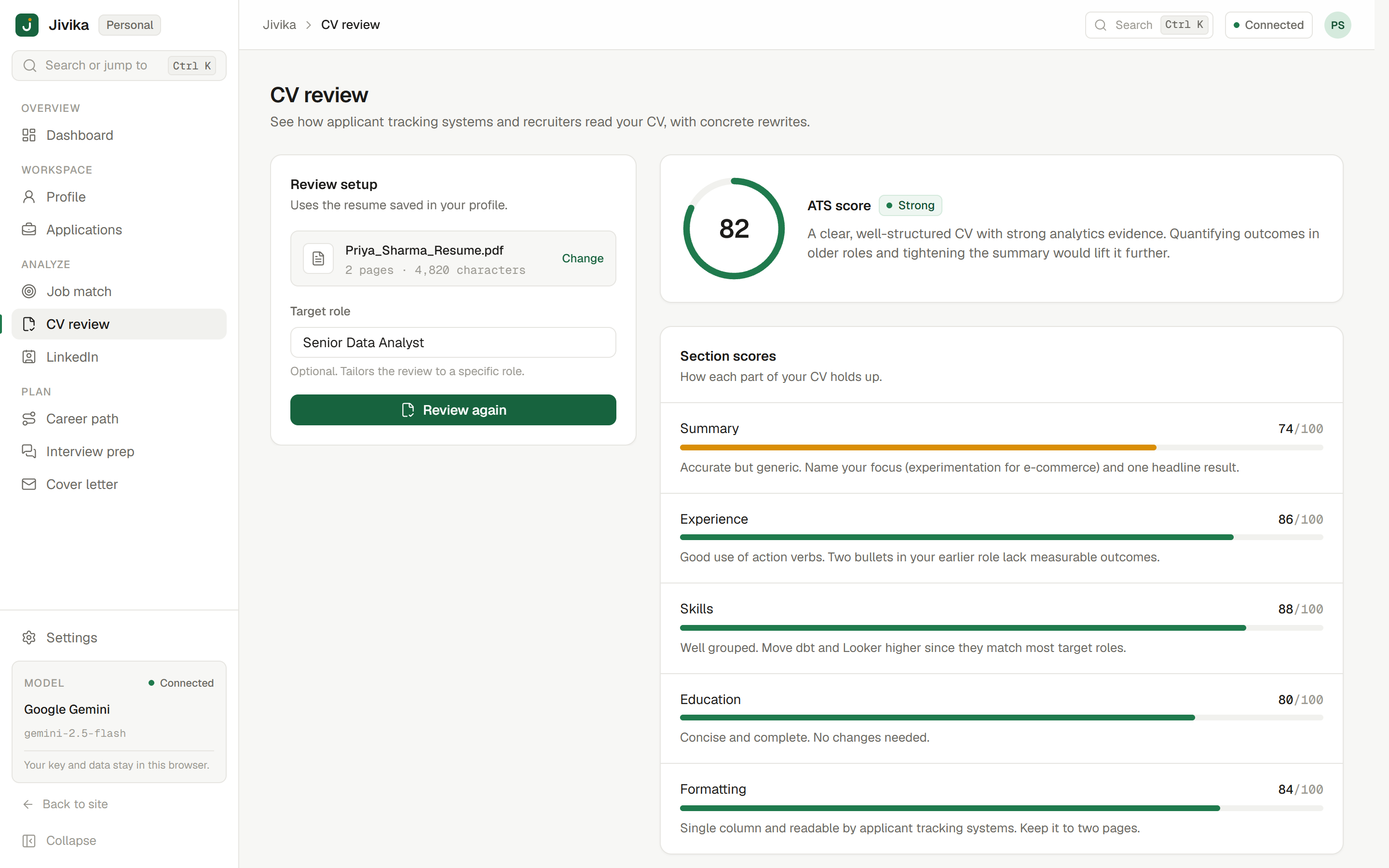
CV review in Jivika showing an ATS-style score and per-section feedback

CV review

Find out what a screening system sees in your CV.

Get an ATS-style score with specific feedback for each section, instead of generic advice.

  • Section-by-section feedback
  • Rewritten bullet points with stronger outcomes
  • Scores tracked over time on your dashboard
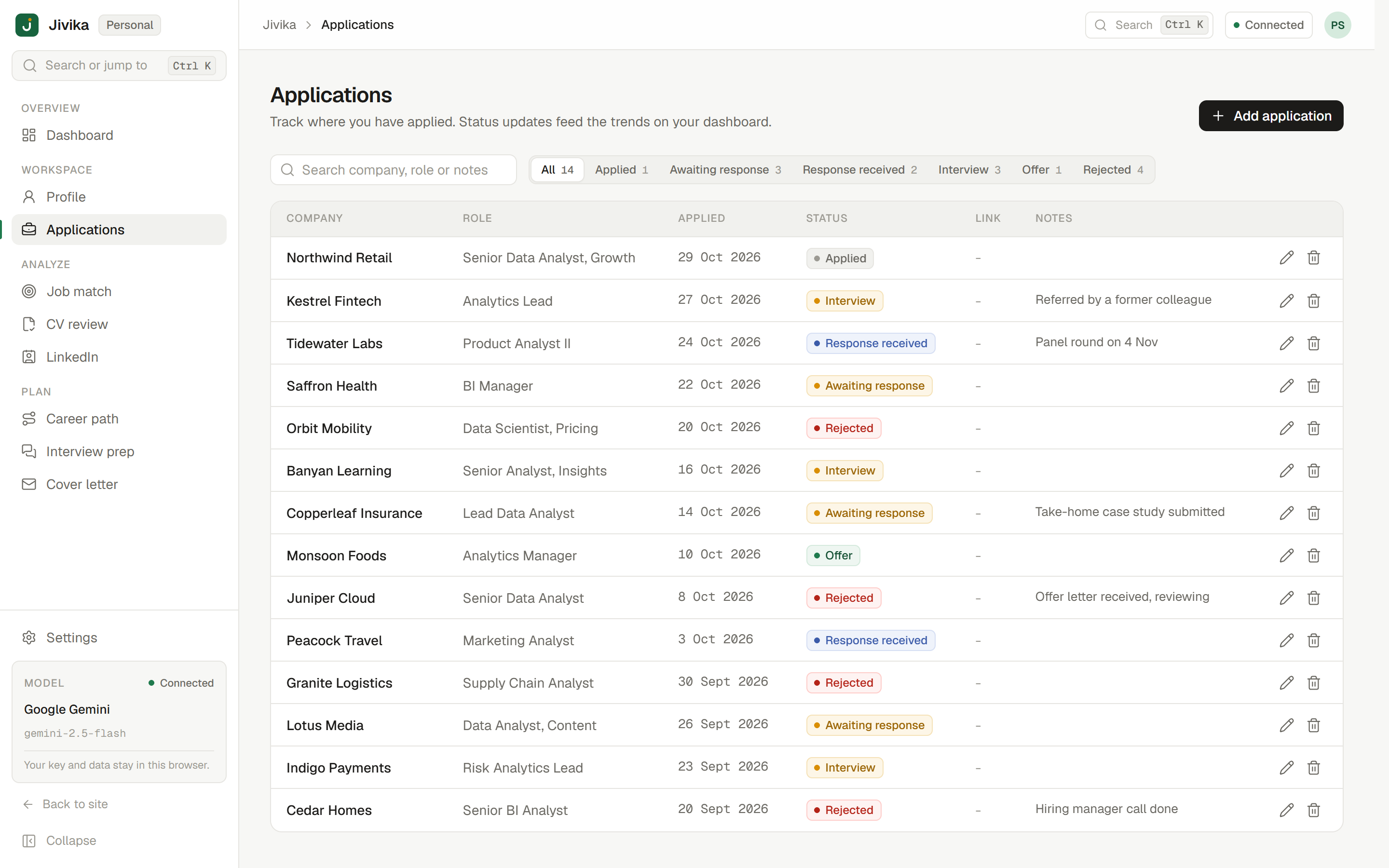
Application tracker in Jivika listing applications with company, role and status

Application tracker

Keep your search organised as it grows.

Record every application with its company, role and status. Your progress feeds the dashboard so you can see what is working.

  • A status for every application, from applied to offer
  • Application trends on the dashboard
  • Stored in your browser, not on our servers

How it works

Up and running in a few minutes.

  1. 1

    Add your model key

    Choose Gemini, OpenAI, Groq or OpenRouter in Settings, paste a key and verify it with one click.

  2. 2

    Upload your resume

    Upload a PDF. Jivika extracts a structured profile that every tool uses as its starting point.

  3. 3

    Match, improve and track

    Match against real job descriptions, act on the feedback and track your applications as you go.

Privacy

Your key, your data.

Jivika is built so that your career details stay with you.

Read the privacy policy
  • Keys stay in your browser. Your key is sent with each request and is never stored on our servers.

  • Your data lives locally. Your resume and history are kept in your browser's storage and can be cleared at any time.

  • You choose the provider. The model provider you pick processes your prompts under its own terms.

Pricing

Free today. Pro when you want it simpler.

Use every tool free with your own key, or join the waitlist for hosted AI.

Free

Available now

Bring your own key

₹0 forever

  • All 8 tools, from job match to the application tracker
  • Your resume and history stored in your browser
  • Works with Gemini, OpenAI, Groq and OpenRouter
  • You pay your provider directly; many offer free tiers
  • No account or sign-up
Open the app

Pro

Coming soon

Hosted AI, no key needed

Pricing announced at launch

  • Everything in Free
  • Hosted AI, so you do not need a model key
  • Higher-quality models selected for you
  • Sync across devices (planned)
  • Priority support
Join the waitlist

Compare plans on the pricing page.

FAQ

Common questions

More answers on the FAQ page.

Is Jivika free?

Yes. The Free plan includes every tool. You add your own model key and pay your provider directly for usage, and several providers offer free tiers.

Do I need an account?

No. There is no sign-up. Open the app, add a key in Settings and upload your resume.

Where is my data stored?

Your resume, analyses and applications are stored in your browser's local storage. They are not saved on our servers, and you can clear them from Settings at any time.

What is Jivika Pro?

Pro will provide hosted AI so you do not need your own key. It is not available yet. Join the waitlist to hear when it launches; pricing will be announced then.

Start free today, or join the Pro waitlist.

Open the app with your own key now. Leave your email to hear when hosted AI is ready.

Open the app

We will only email you about Jivika Pro. Unsubscribe anytime.